Hubs

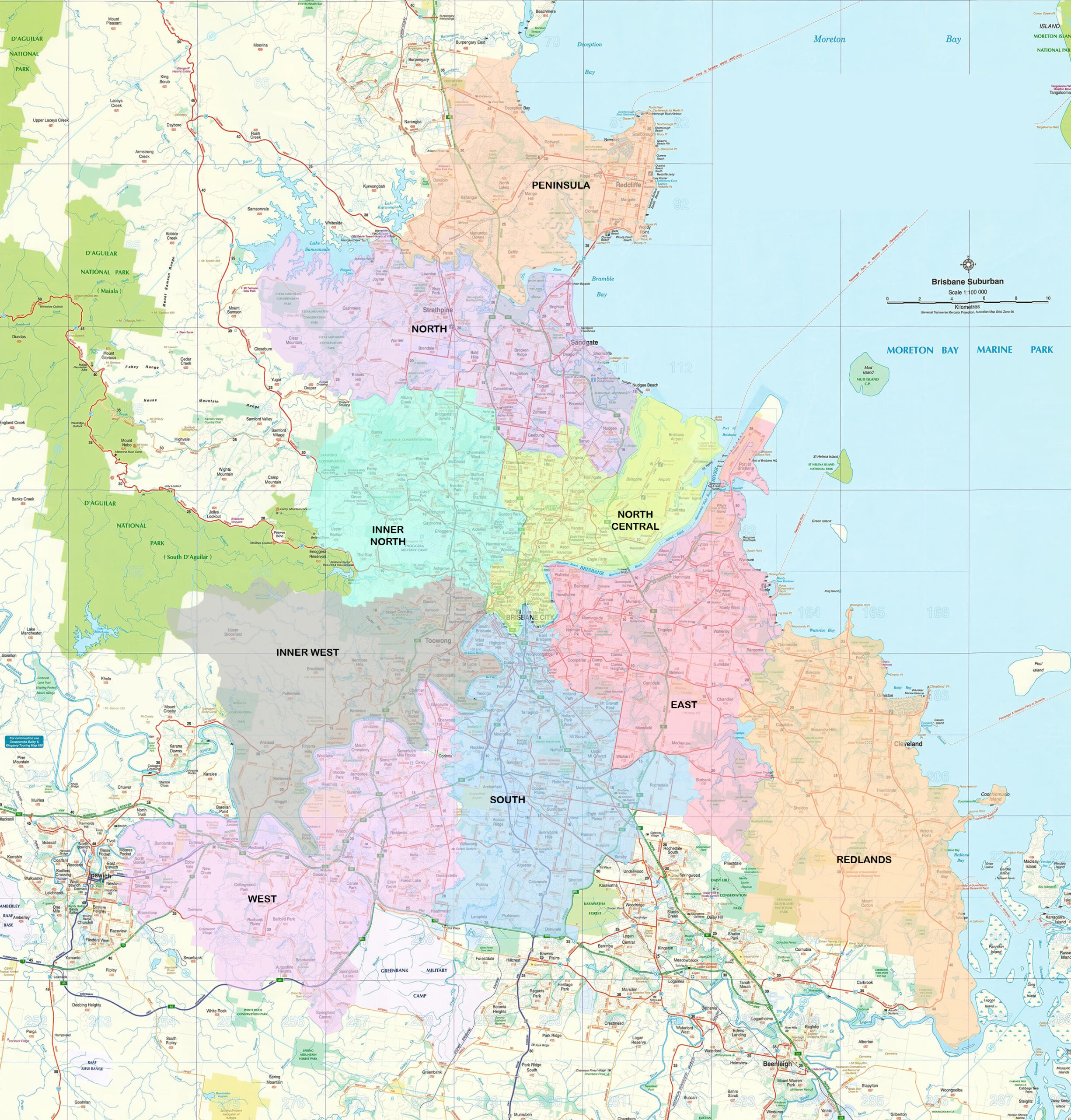
Brisbane Seniors Online serves the Greater Brisbane area, which is divided into regions (called hubs) for manageability—see the interactive map below. Learners and Mentors are assigned to a hub based on their home’s suburb and are managed by a Hub Coordinator:

To locate the hub for an address, select the magnifying glass icon, enter the address in the box, then select the address (tap or press ENTER). A location marker is then shown on the map. To pan the map, click or tap on the map then slide the map to pan to a different part of the map. To zoom the map, use the zoom + and – buttons in the upper left corner; use the Home button to reset the zoom factor & re-centre the map on the BSOL office. Alternatively, on a PC double-click a hub to zoom in, and shift+double-click to zoom out; on mobile devices, use the pinch gesture to zoom in or out.